Two people answer, or nobody does.
In a shared mailbox nobody knows who took what. Some clients get two answers, others none.
Danube CRM · Ticketing
Emails to support@, WhatsApp conversations and website forms land on one board, sorted by AI and assigned to a colleague. You answer from the ticket, and the whole history stays on the client. From €6 per user a month.
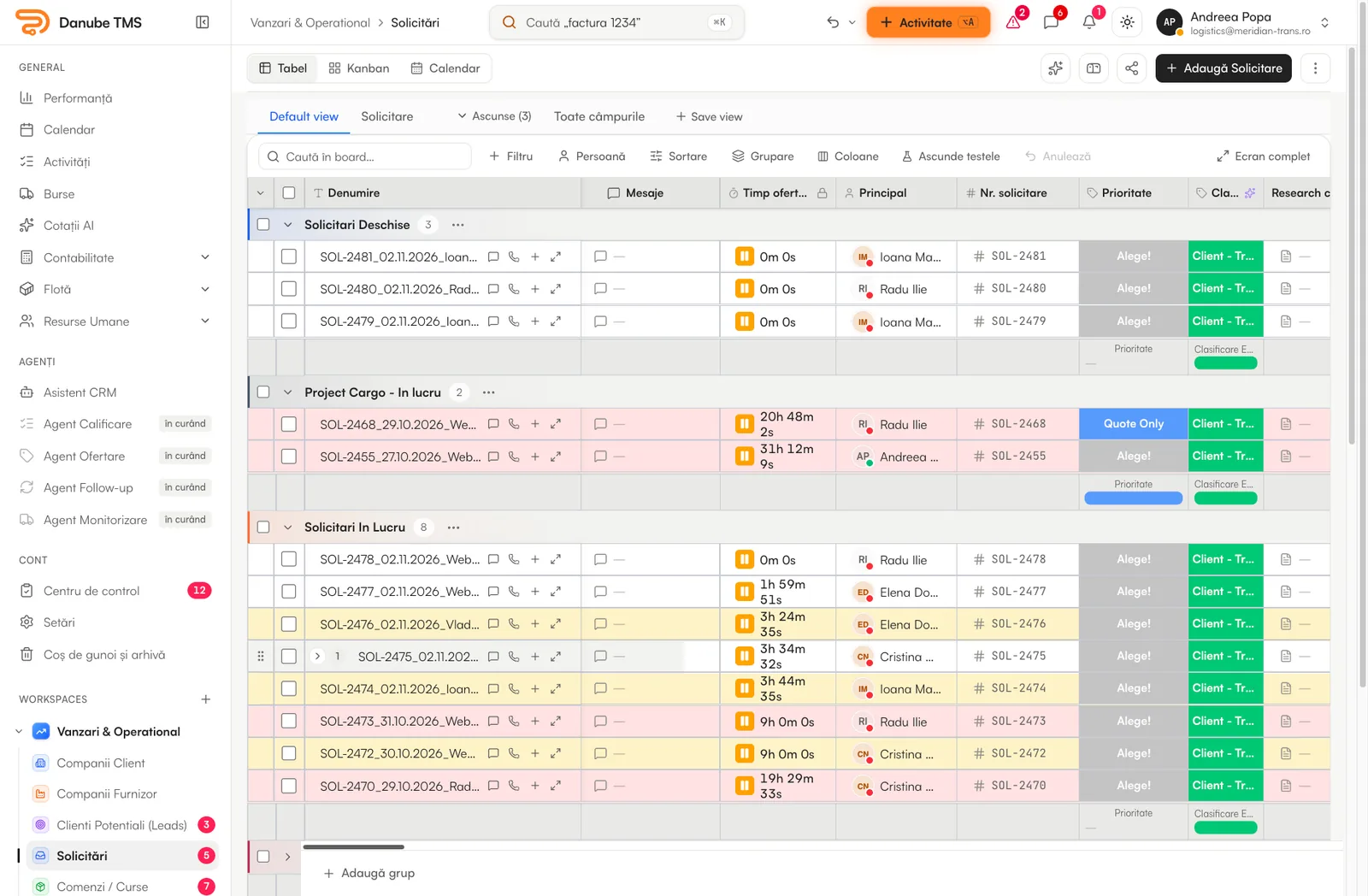
Requests today
In a shared mailbox nobody knows who took what. Some clients get two answers, others none.
When a colleague is away, the conversation with the client is away too.
How many requests came in this week, how many are open and who is overloaded stays a feeling.
How it works
Danube reads the mailboxes you choose, personal and shared. AI sorts each email, fills in the company, the person and the phone number, puts the attachments on the ticket and assigns a colleague.
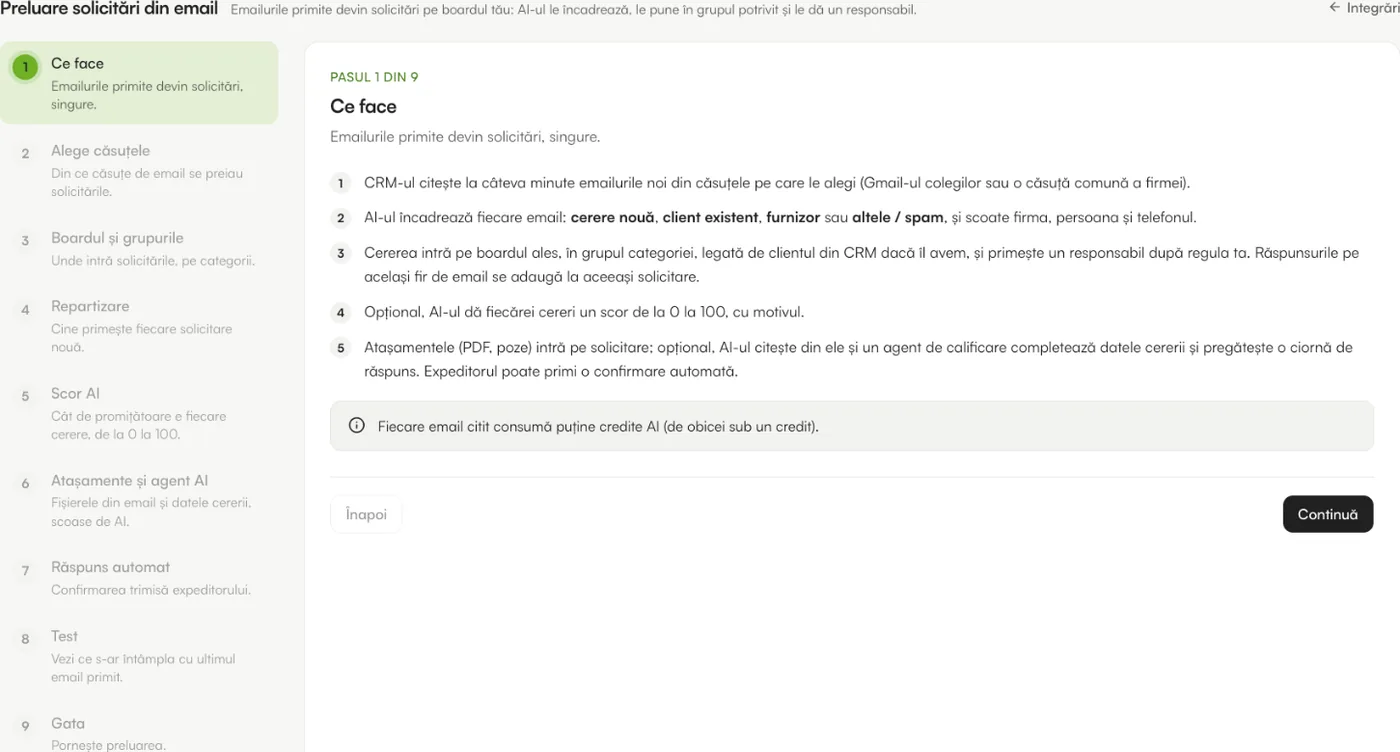
Requests from shared inboxes are handed out in rotation to the colleagues you choose. Whoever is offline or on leave is skipped, and their tickets go to a replacement.
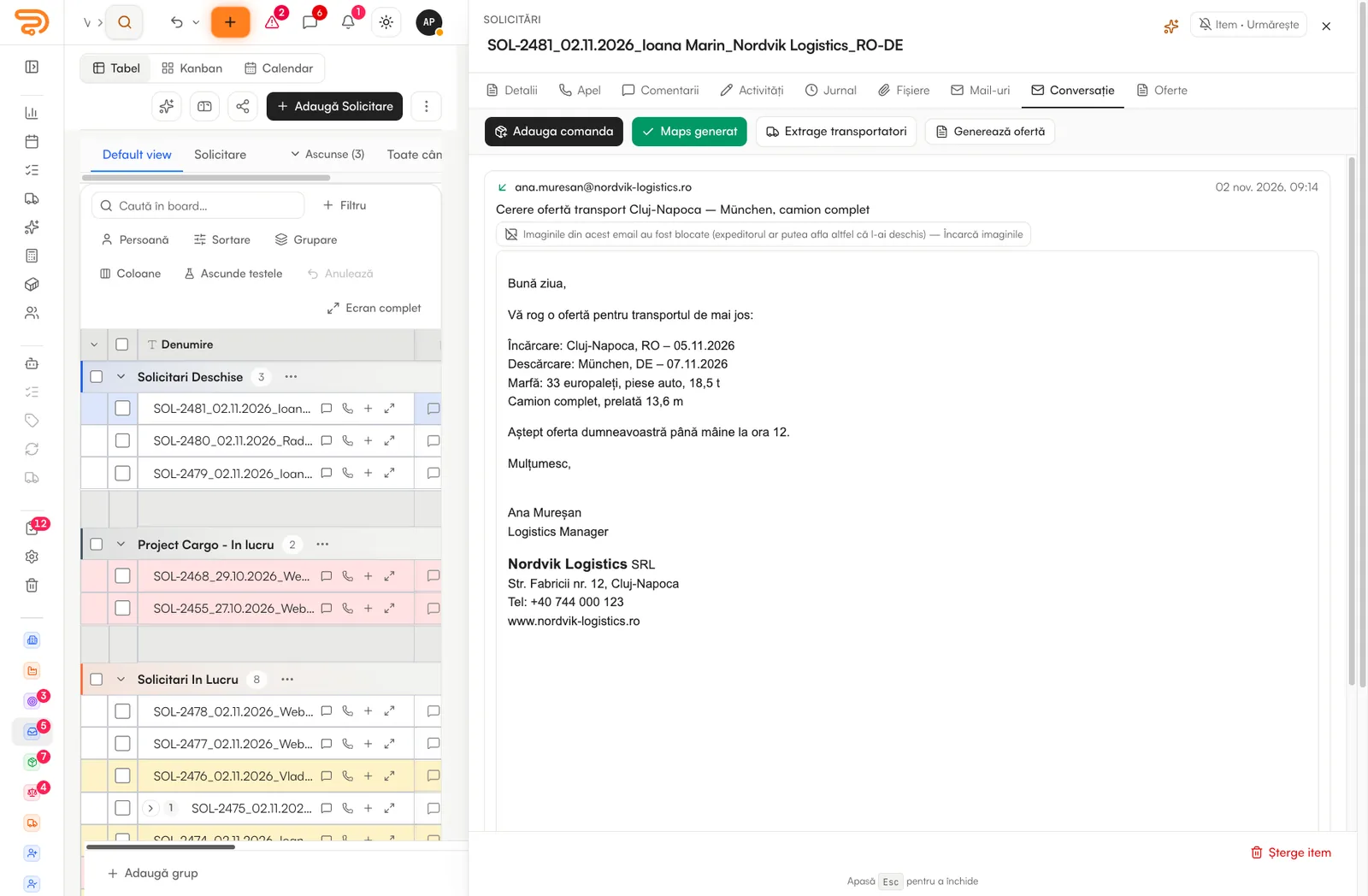
The conversation opens next to the ticket: you reply by email from your own mailbox or on WhatsApp, and every message, file and note stays on the record and on the company’s page.
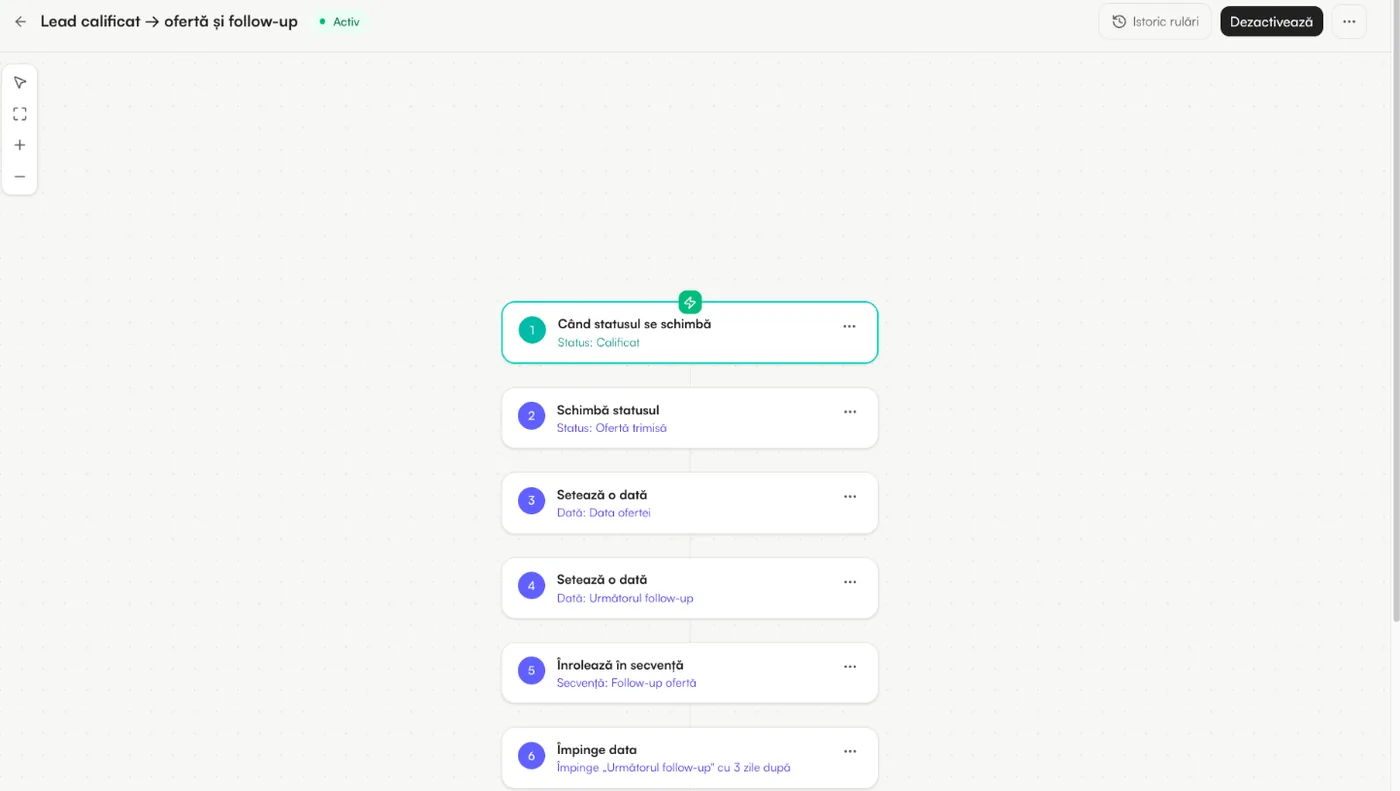
When a status changes or a date arrives, Danube notifies the owner, creates the next task or sends the email. Dashboards show tickets by stage and by colleague, live.
Screens are from the platform, with sample data. Some show the Romanian interface; the app also runs in English.
What comes with it
Tickets sit in the same CRM as companies, contacts and deals, so nobody asks the client the same thing twice.
Tickets, orders, activities and every email the system sent, on the company’s page.
Request, existing client, supplier or spam: each email is classified before it reaches the board.
Agents with your instructions that search the CRM with the user’s rights and never send anything on their own.
On the Business plan an agent can sort new conversations and send the first reply.
Calls, meetings and to-dos tied to the ticket, synced with Google Calendar and Outlook.
Who changed what and when, with “Undo” and a bin that brings tickets back.
Getting started
Describe your support flow and Build with AI proposes the stages and rules.
A guided setup walks you through the mailboxes and WhatsApp Business.
Rotation between colleagues, with replacements for leave.
New requests arrive assigned; the history builds itself.
Questions
No. It is part of Danube CRM, at €6 per user a month on every paid plan. Reading emails with AI comes with the Team plan, and AI agents with Business; the boards, automations and WhatsApp intake are on every plan.
Gmail, Outlook / Microsoft 365 and IMAP mailboxes, like the ones on cPanel hosting, personal and shared.
No, unless you decide otherwise. AI sorts, fills in and drafts; a person sends. The exception you can switch on is the WhatsApp agent’s first reply, on the Business plan.
Tickets have deadlines, overdue alerts and dashboards by stage and by colleague. Contractual SLA reporting, with your own rules and calendars, is something we add as a custom build.
Admins get an alert at 80% and at 100%. Nothing that exists stops working: automated emails and actions over the limit wait in a queue until you add a pack or the month resets.
A 15-minute demo on your real inbox. We show you the board, the rotation and what it would cost.