Someone sorts the inbox by hand.
Requests, invoices, applications and spam arrive together, and a person decides where each one goes.
Custom builds · AI automation
We build agents that read the emails and documents your team reads today, fill in the systems they fill in, and prepare the reply they would write. You see every decision, correct the wrong ones, and decide what is sent.
Where AI earns its place
Requests, invoices, applications and spam arrive together, and a person decides where each one goes.
An order in a PDF, an invoice in a photo, a statement from the bank: all retyped into the system, field by field.
A chatbot demo impresses in a meeting and never reaches the daily work, because it is not tied to your data.
What we build
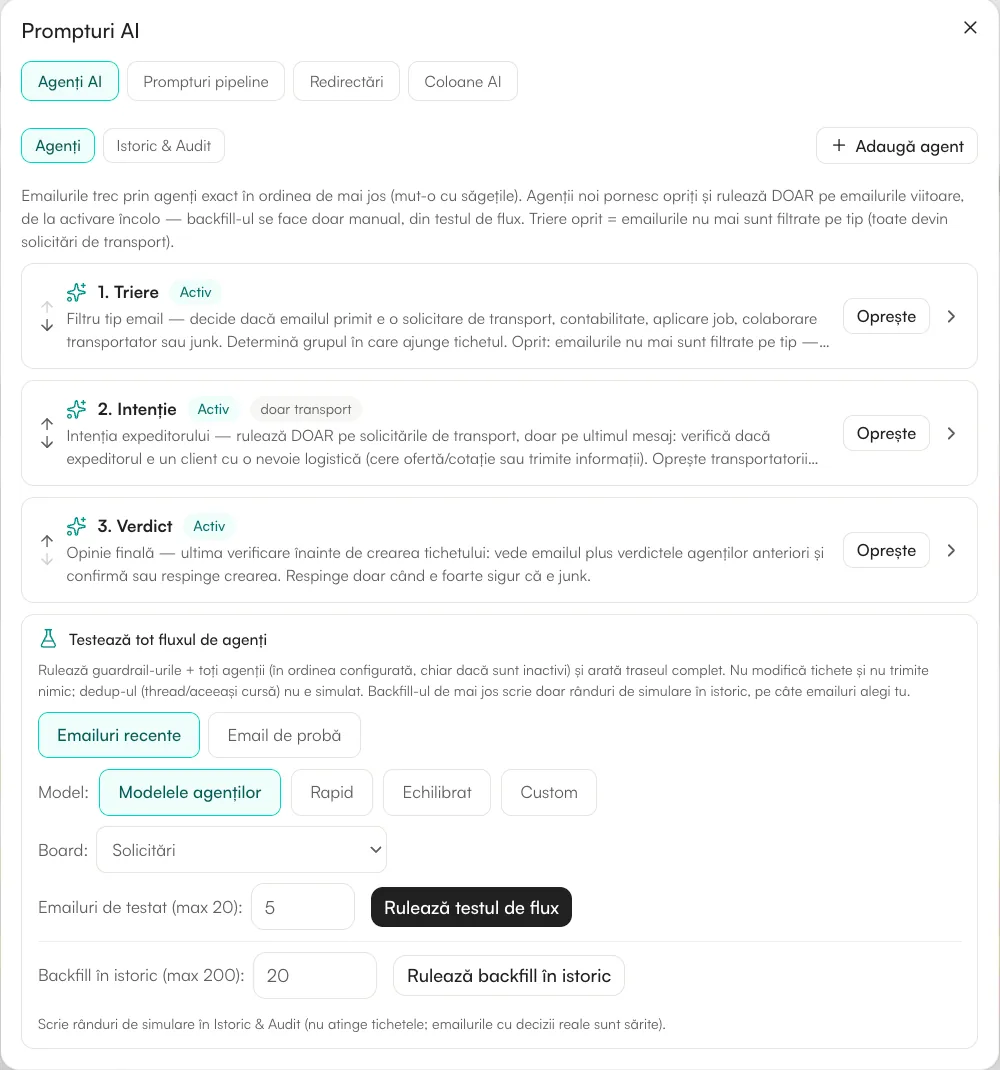
The first agent classifies the message, the next checks the intent, the last gives the verdict. What is a real request becomes a record with the details filled in and a colleague responsible.
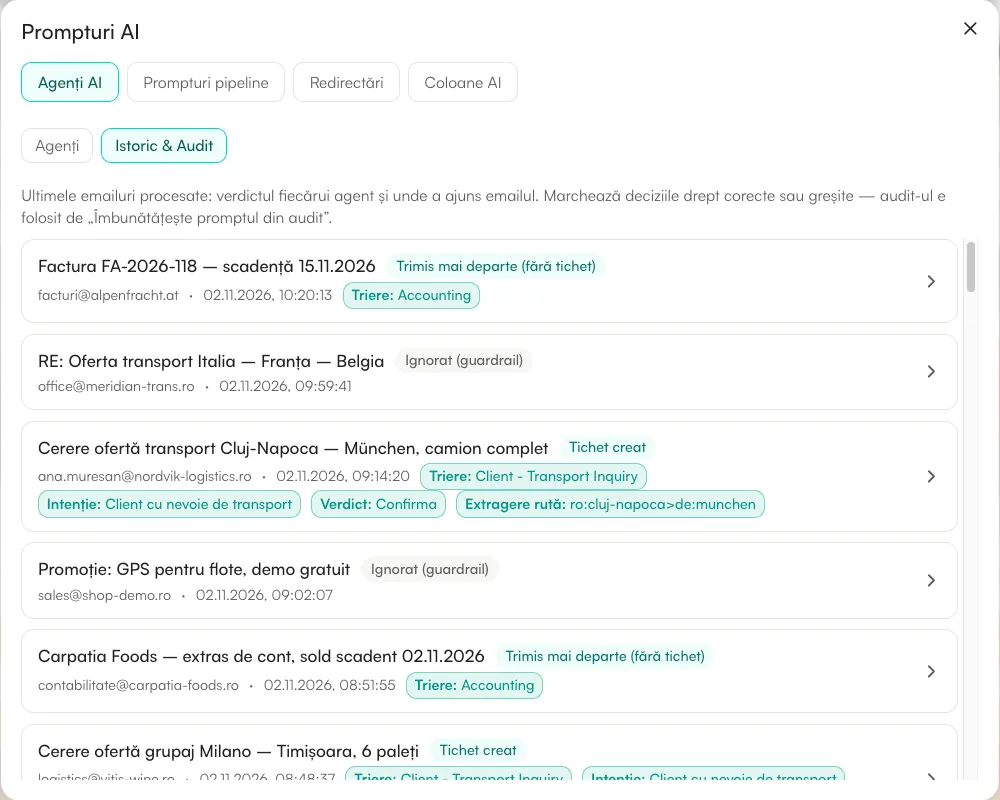
For each message you see what every agent decided and why. You mark the wrong decisions, and AI proposes better instructions from them, which you approve.
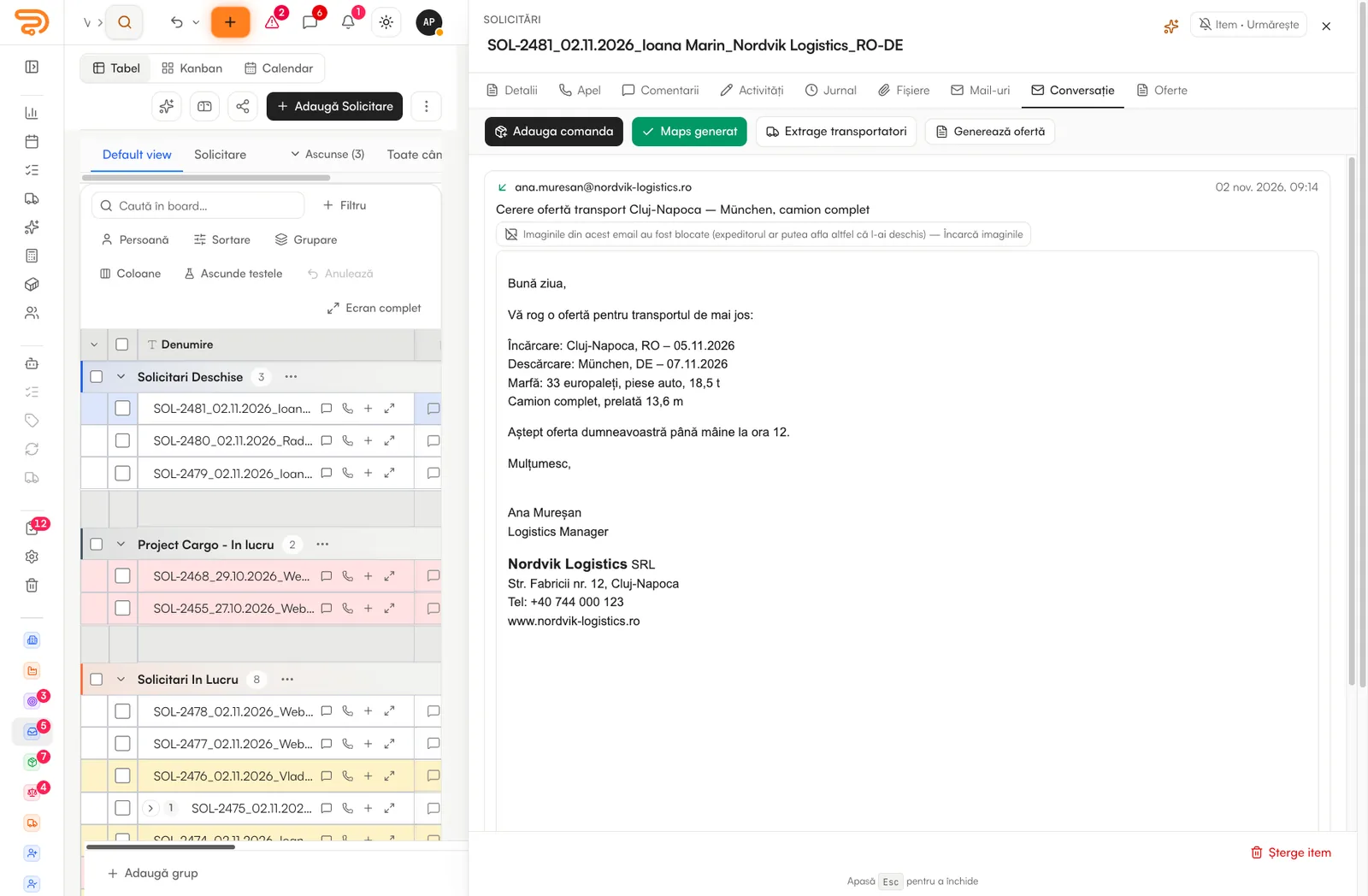
AI reads the PDF, the photo or the Excel file and fills in the record: the parties, the amounts, the dates, the references. A person validates it next to the original.
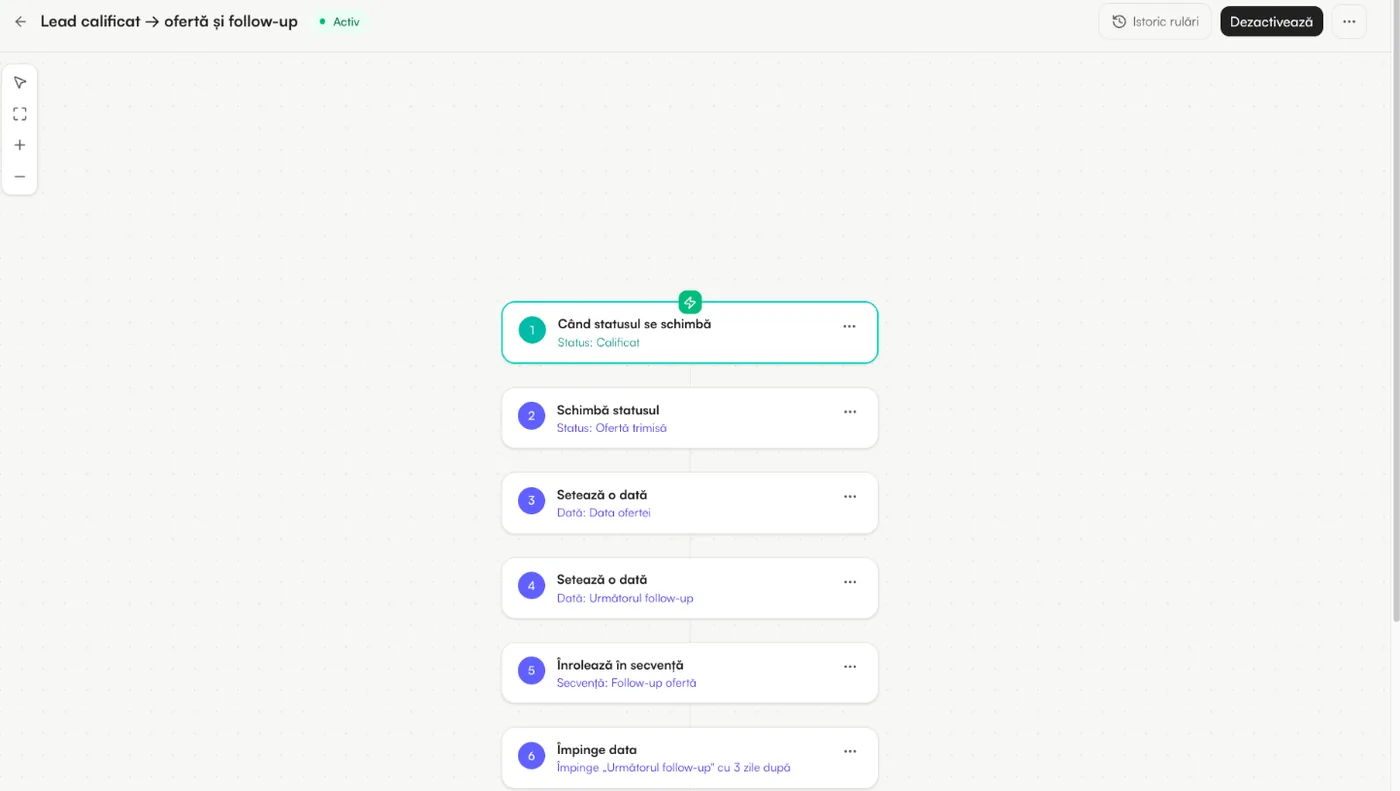
Once the record exists, rules and workflows take over: assign, notify, generate the document, start the follow-up sequence, wait for the reply and branch on it.
Screens are from the platform, with sample data. Some show the Romanian interface; the app also runs in English.
How we keep it safe
The rules below are how the platform already works, not promises for later.
Agents prepare; people send. An automatic reply exists only where you switch it on.
An agent searches the data with the rights of the person asking, never more.
Runs on Claude, by Anthropic. Data sent through the API is not used to train models.
Use your own model key if you prefer to pay the provider directly.
AI use is measured in credits, with alerts before a limit is reached.
When a model is unavailable, the process continues by the manual path.
How a project runs
One that is frequent, rule-based and costs real hours.
The agent runs on last month’s real messages or documents; you see what it would have done.
It works on new items, with a person checking the decisions.
More types, more steps, less review, as the audit shows it is right.
Questions
Tasks that are frequent and follow rules a person could explain: sorting an inbox, reading documents, preparing quotes, drafting replies, matching payments. Tasks that need judgement stay with people, with AI preparing the ground.
Not unless you choose it. By default agents draft and people send. Where an automatic reply makes sense, you switch it on for that case alone.
No. The platform runs on Claude, by Anthropic, through the API, and data sent that way is not used to train models. You can also use your own key.
The agents work best inside Danube, where the data and the rules already are. They can also be connected to your own system through an integration.
By testing it on your own history before it runs, and by the audit after: every decision is listed, and you mark the ones that are wrong.
We show you what an agent would have done with it, before you decide anything.