Tasks float without context.
“Call Maria” sits in a to-do app. Which Maria, about which offer, and what was said last time is in another tool.
Danube CRM · Task management
A task in a separate app is a task nobody connects to the client. In Danube every call, meeting and to-do hangs on the record it belongs to, with an owner, a deadline and a reminder. From €6 per user a month.
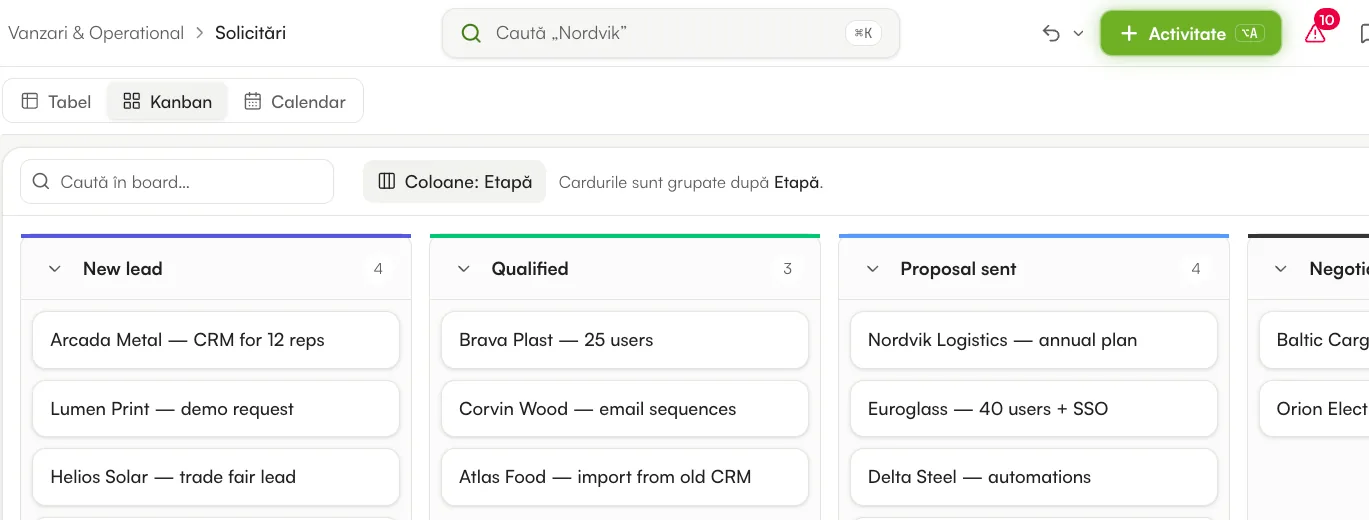
Tasks today
“Call Maria” sits in a to-do app. Which Maria, about which offer, and what was said last time is in another tool.
Whoever remembers, calls back. Whoever is on leave leaves the task with no one.
To find out what is late, someone has to ask, and someone has to stop working to answer.
How it works
Build the board with the columns your team needs: status, person, deadline, priority, files, links to other boards. The same tasks show as a table, a Kanban by stage, a calendar by date or a simple list.
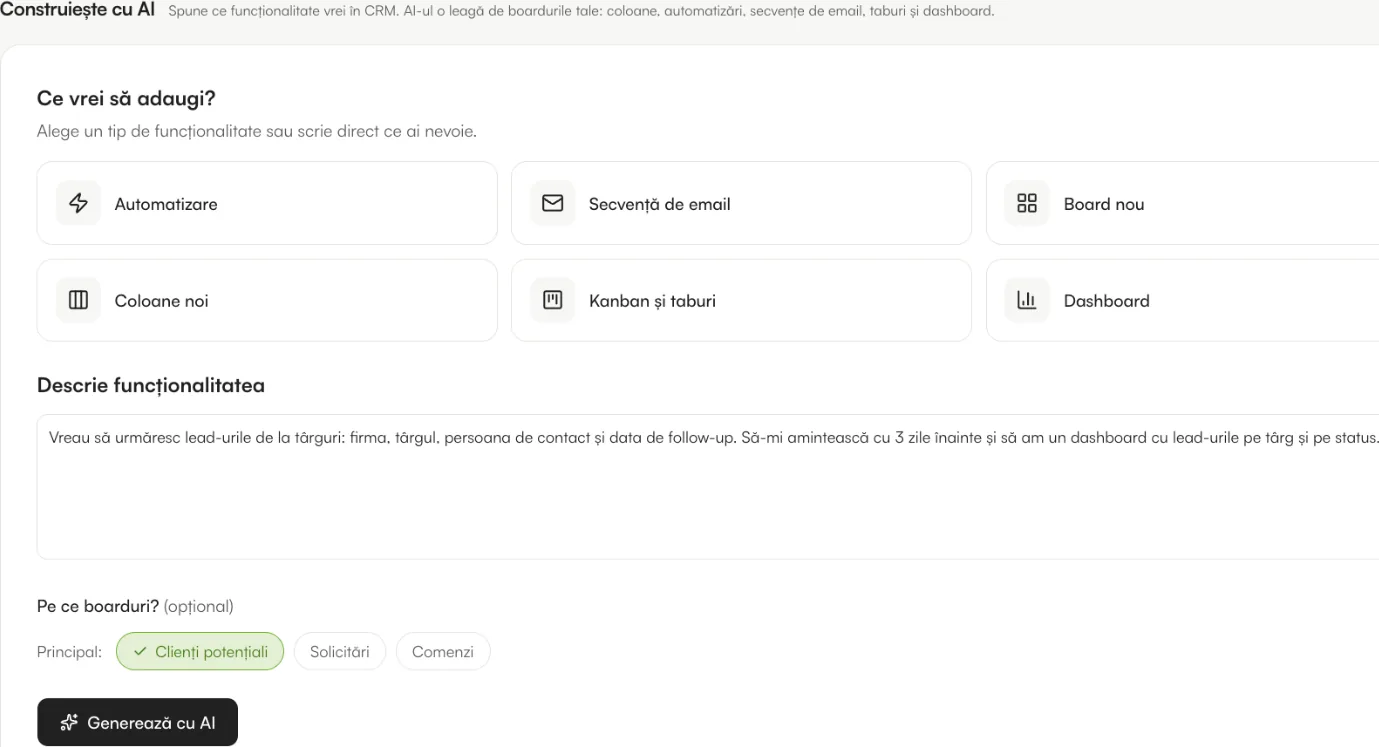
Tell “Build with AI” what you want to follow, in a few sentences. It proposes the board, the columns, the automations and a dashboard; you look at them and apply them in one click.
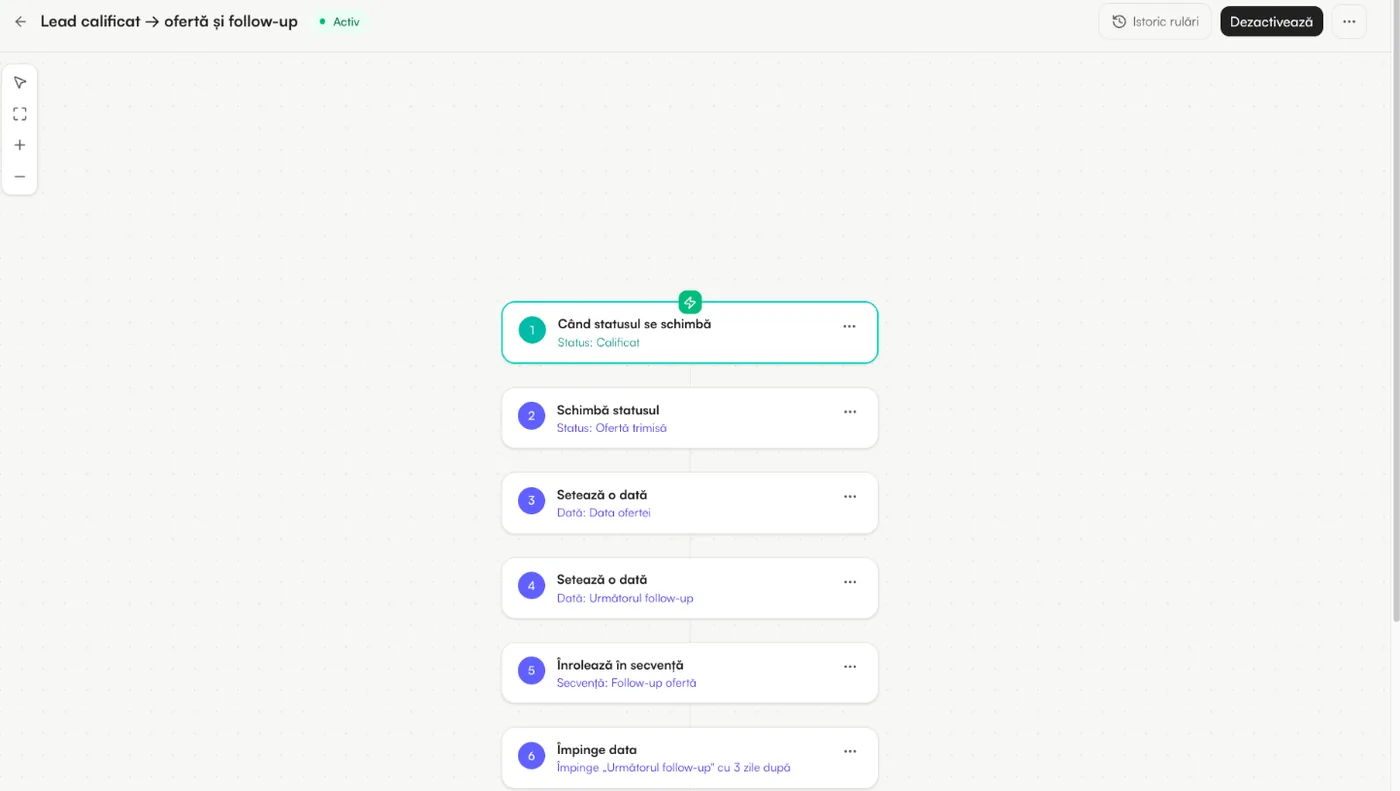
When a status changes or a date arrives, Danube moves the record, creates the task, notifies the owner or sends the email. Longer processes go on a visual canvas, with branches and waits.
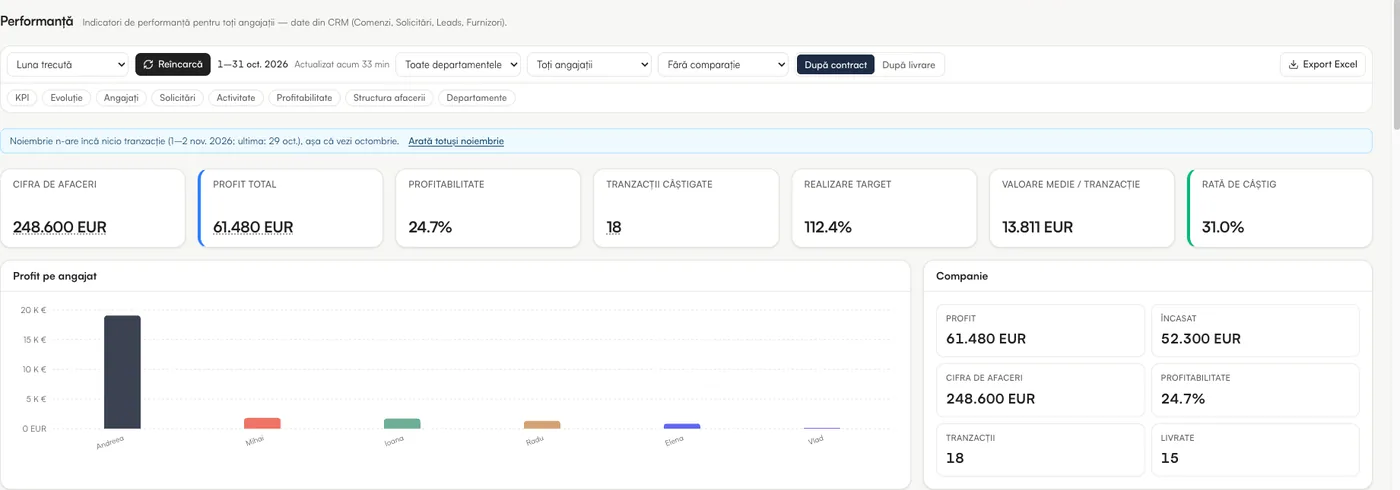
Dashboards show the work per colleague and per stage. Overdue items show as a number next to the menu, and each person gets one bell and one morning email with what needs them.
Screens are from the platform, with sample data. Some show the Romanian interface; the app also runs in English.
What comes with it
The same account, the same data and the same price per user as the rest of Danube CRM.
A button in the top bar and a keyboard shortcut: call, meeting, task or note, tied to a record.
Calls and meetings appear in Google Calendar or Outlook; moved there, they move in the CRM too.
Boards show as a list and a record opens full screen, with fields you edit by touch.
Select several rows and change the owner, the status or the date once.
Who changed what and when, with “Undo” and a bin that brings rows back.
Each colleague sees and changes only what you allow, down to the board.
Getting started
Two users are free, with no time limit.
Build with AI proposes the board, the statuses and the rules.
Each colleague sees their own tasks first, on any device.
Reminders, hand-offs and follow-ups stop depending on memory.
Questions
No. Task management is part of Danube CRM: the same account, the same boards and the same price of €6 per user a month on every paid plan. Free covers two users.
Yes. A board can follow any process: projects, onboarding, approvals, recruiting. You do not need to use leads or deals to use tasks.
Yes. Calls and meetings sync both ways with Google Calendar and Outlook: created in Danube they appear in the calendar, and moved in the calendar they move in Danube.
Their tasks stay visible on the board with their name, and an admin can hand them over in bulk. Automatic assignment in rotation skips colleagues who are away.
Yes. Import from Excel, CSV or Google Sheets, or from monday.com, HubSpot, Pipedrive, Salesforce and Zoho exports, with column matching.
A 15-minute demo on your real process. We build the board with you, with AI, and show you what it would cost.